Site layout, lighting scheme & laser safety assessment

Science & Museums Laser Solutions
Laser & Tech Integration
Craft Immersive Research Scenarios
One-stop laser lighting solutions for global science and cultural venues, delivering sustainable, high-impact science exhibits from planning and compliance to integration and maintenance.
DarkTone Venue Laser
Supporting System
Integrating cutting-edge technology consistently, we help global cultural & science venues deliver stable, compliant immersive tech light shows with educational value.
Hardware Systems
- Certified Laser Hardware
- FDA & CE certified, built-in safety features, compatible with mainstream consoles. Multiple models for all venues.
- Millisecond Synchronization
- An integrated touring package compatible Accurate sync for laser, audio, video and lighting; connects to dome & interactive devices, stable operation.
- SafeMount™ Quick-Rig System
- Supports dome shows, heritage lighting and immersive exhibits with timed unattended playback.
Overseas Full-cycle Service
English approval documents, system commissioning, remote guidance for overseas integrators
Optional on-site tuning, 7×24hr remote emergency service
CoreAdvantages
Globally Compliant
Full certifications & English safety docs for overseas venue standards
High Compatibility
Supports grandMA, ILDA and existing audio-visual systems
Long-term Stable Operation
Silent cooling for continuous work and less maintenance
Dual Technical Support
Remote tuning; on-site engineers available for major projects
Modular Expandability
System upgradable, program content continuously updated
Typical Application Scenarios
| Venue Type | Solution | Value |
|---|---|---|
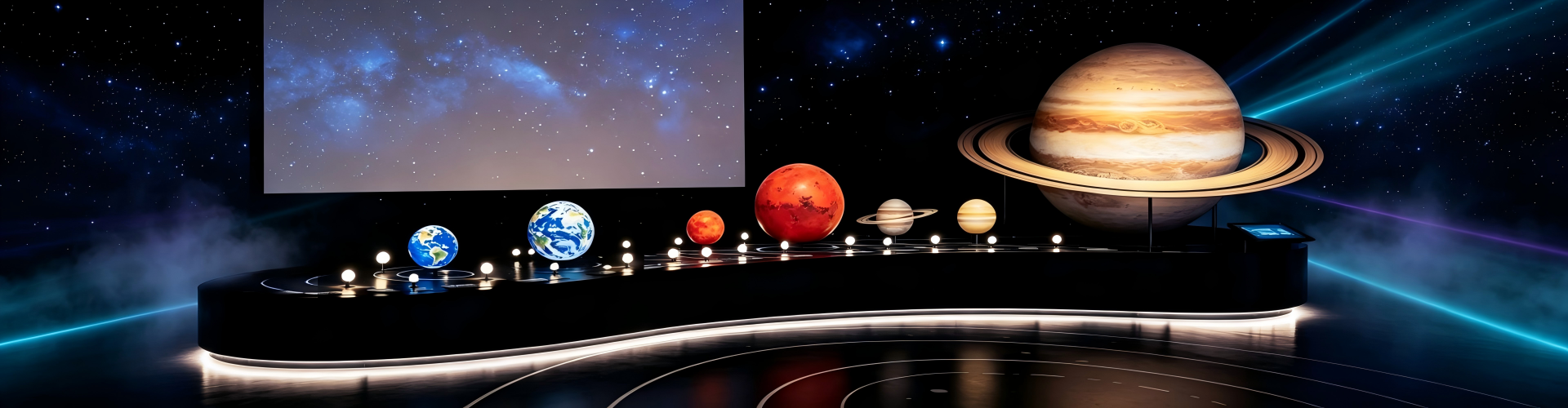
| Planetarium / Dome Science Center | Dome laser astronomical shows | Immersive space education experience |
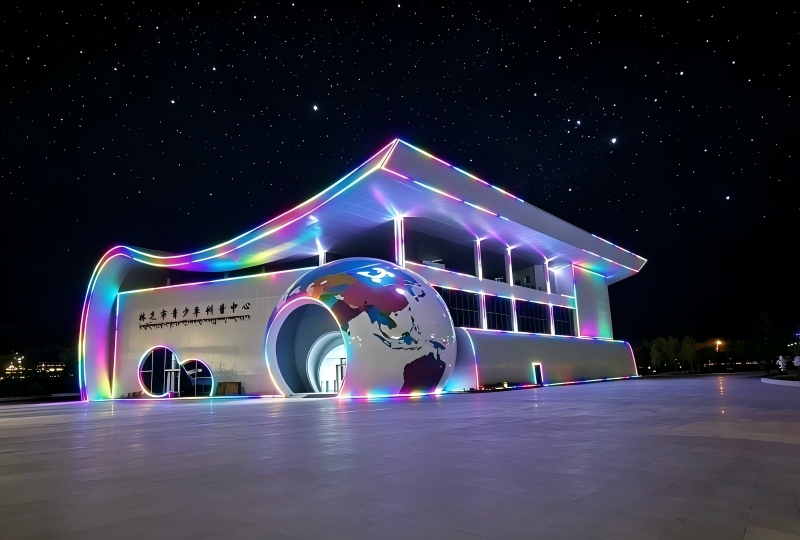
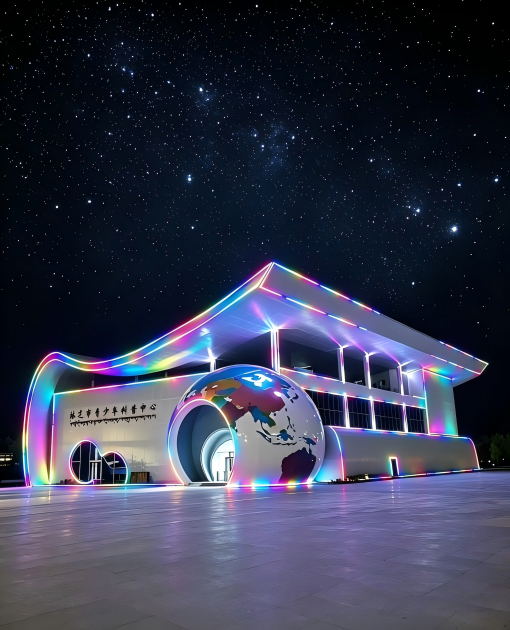
| Natural Science Museum | Soft laser ecological scenes | For youth and family audiences |
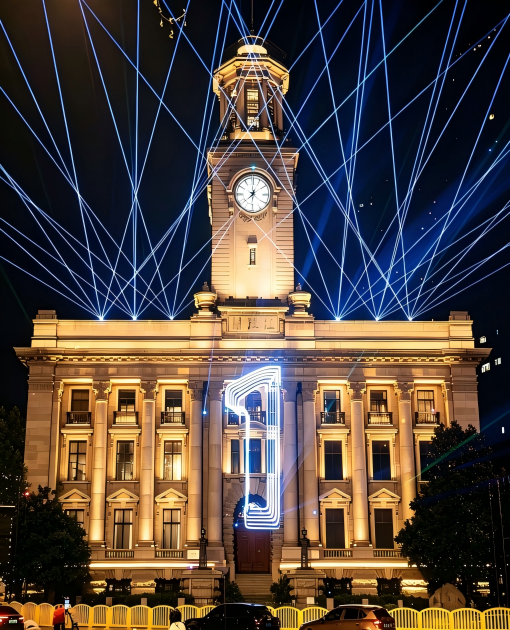
| History & Culture Museum | Heritage lighting & ancient facade illumination | Balancing narrative effects and relic protection |
| Temporary Special Exhibitions | Modular laser system, fast setup | For touring and seasonal events |
| Venue Atriums & Building Facades | Outdoor waterproof lasers, 3D architectural light shows | Creating urban cultural landmarks |
Proven
on the Global
museums & science centers
Download
Professional
Resource Center
Laser Light General Installation Manual
Laser Light Installation Manual
A5a RGB Laser Light(User Manual)
User Manual
A7 20-50w Waterproof RGB Laser Light (User Manual)
User Manual
Frequently Asked Questions
- What laser requirements apply in museums that hold relics and sensitive exhibits?
Direct answerEquipment must run with low heat output and filter harmful UV wavelengths. Never project directly onto fragile artifacts, paintings or ancient specimens, and keep beams on designated projection surfaces only.
Protection Rules for Sensitive Exhibits
- Select equipment with low thermal output and UV filtering in the optical path
- Never aim a laser directly at a relic, painting, manuscript or specimen
- Control cumulative light exposure and total daily illumination time to prevent fading
- Plan the beam path in advance and keep it on designated projection surfaces
- Include an emergency stop and interlock so output stops instantly if a fixture is bumped or moved
What to Prepare Before the Show Is Approved
- A beam path drawing approved by the exhibition curator and conservation staff
- Documented light exposure figures per exhibit surface
- A maintenance schedule that avoids handling of protected objects
- A written response procedure if a beam path change is requested
Request DarkTone heritage-project guidance for your venueConservation staff should sign off the beam path and exposure figures before the installation is fixed in place.
- What laser control system suits a permanent museum or science centre exhibition?
Direct answerAdopt a multi-protocol system with scheduled automatic playback, remote management and optional sensor triggering. This lets daily shows run unattended while staff update content and monitor device status remotely.
Recommended System Capabilities
Capability Benefit for a permanent exhibition ILDA, DMX and Art-Net support Works with laser software and the venue lighting system Scheduled auto playback Show starts on opening and closes on schedule without an operator Pre-programmed sequences Daily educational content plays identically every time Remote management Content updates and status checks without site visits Sensor interaction Motion or touch trigger for visitor-responsive exhibits How to Set It Up Practically
- Program the educational sequences offline and test the full timeline before installation
- Define a fallback playlist that runs if a sensor or network signal is lost
- Give venue staff a simple start, stop and mute procedure for events and maintenance
- Agree remote access rules and an alarm contact list at handover
Ask DarkTone to design the control layout for your venueAn unattended system is only as good as its fallback, so always configure a default show that plays when external signals fail.
- What should museums and science centres consider when creating laser exhibition content?
Direct answerLaser content should match the exhibition theme and its educational goals. Use clear, simple graphics that help visitors understand the science or history, avoid effects that distract from the narrative, and keep the files easy to update.
Content Principles for Cultural Venues
- Start from the learning objective, then choose the visual language that supports it
- Use simple shapes, diagrams and text that read clearly at projection scale
- Keep animation speed moderate so visitors can follow the sequence while walking past
- Limit decorative beam effects that compete with the exhibits themselves
- Match shapes with local cultural and historical references where relevant
Planning for Temporary and Rotating Shows
- Keep shows in separate project files so a temporary exhibition can be added or removed quickly
- Store content with the sound, lighting and playback cues in one package
- Leave spare playback slots for seasonal and school-holiday versions
- Plan a simple update path for staff so new content does not need a new control system
Talk to DarkTone about content planning for your exhibitionAsk for the content file format and update procedure before commissioning, so future updates do not lock you to one supplier.
- Which reliability features are required for lasers in permanent museum exhibits?
Direct answerPermanent exhibits need lasers that run daily shows without interruption. Look for stable continuous operation, a low-maintenance design, dustproof housing, remote fault alerts and spare parts that can be replaced quickly.
Reliability Features to Specify
Feature What it delivers Continuous-run stability Repeatable shows every opening day without drift or overheating Low-maintenance design Fewer service visits and lower long-term operating cost Dustproof housing Protects optics in gallery and atrium environments Remote fault alert Sends an alarm to staff before a fault becomes a shutdown Modular spare parts Fast replacement without closing the exhibition for long Why Permanent Exhibits Are Different
- The show runs every day for years, so duty cycle matters more than peak specification
- Exhibitions rarely have technical staff on site, so remote monitoring is essential
- Any downtime is visible to the public, which makes fast fault response critical
- Repeated identical playback must stay identical, which requires stable optics and control
Request a reliability specification for your exhibition projectFor permanent installations, agree the maintenance interval and spare-part list at the design stage so downtime stays predictable.
Get Your exclusive
venue laser solution

- Full Name:
- Lumi Deng
- Tel:
+86 13414288613
- Email:
- sales1@darktone.com
- WhatsApp:
- 8613414288613
- Address:
- No.23 industrial area,jianggao town, Baiyun District, Guangzhou City, Guangdong Province, P.R.China