- Dustproof, waterproof with smart cooling, stable in all harsh venue environments.
- Single-person setup, English guides & multilingual remote support, fit for 4–6 hour tight load-in schedules.
- FDA & CE certified, full English papers for global venue approval.
- Ideal for frequent studio & outdoor shoots, stable laser effects for finales with zero breakdowns.

Define Tone in Dark
Broadcast Studios Laser Solutions
Home / Broadcast Studios Laser Solutions
Spatial Light Artistry
Broadcast Studios Laser Solutions
Craft light aesthetics for broadcast spaces with lasers. Our professional laser solutions create layered beam visuals and build immersive art scenes for studios.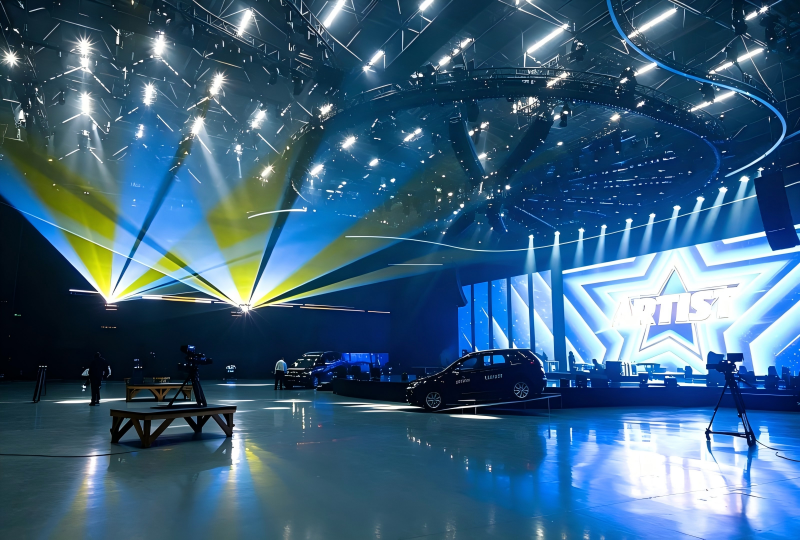
The Real Challenges
of Broadcast Studios Laser
Our laser solutions serve global broadcast studios and touring productions, optimized to resolve industry challenges:
"Live broadcast productions cannot afford any lighting system failures."
— Program Director
THE DARKTONE STUDIO LASER SMART
DIGITAL ECOSYSTEM
We deeply integrate smart digital tech with broadcast lighting, delivering custom solutions for global high-frequency live recording and TV variety shows.
Core Product Advantages

Flicker-free lasers for 4K cameras, silent cooling for 12-hour continuous operation.

Supports global lighting protocols & grandMA consoles; remote monitoring with millisecond sync of lights, screens and audio.

FDA & CE certified, full English approval documents for venues worldwide.
Full Scenario Compatibility
- Small News Studios
- Silent low-power lasers for daily news & live interviews.
- Large Variety Studios
- High-power animated lasers for 3D beam effects at galas & talent shows.
- Outdoor TV Shoots
- Wide-voltage lasers with optional waterproof versions for festivals & scenic shows.
ne-Stop Overseas Services

Custom Lighting Design
Custom lighting plans with 3D renders, full English technical documents for venue approval.

Full Technical Support
Global remote debugging and on-site assistance for rehearsals & live shows.

Reliable After-sales
Long equipment warranty, fast spare parts supply via overseas warehouses.
Core Values
of the Solution
01
Stable operation to prevent live lighting faults
02
Flicker-free output for better 4K recording quality
03
Compatible with overseas studio systems to save debugging time
04
Full international certifications and English documents
05
Works for global studios for easy project deployment
Proven
on the Global
Broadcast Studios
Broadcast Studios
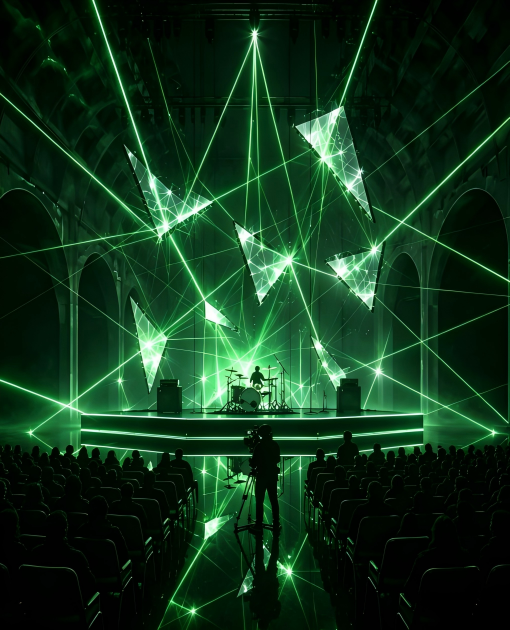
Overseas Live Music Festival Laser Case
- Challenge:
- Dual live broadcast. Old lights don’t support grandMA or media sync.
- Solution:
- Lasers compatible with international protocols and grandMA, millisecond media sync and stable long-run operation.
- Result:
- Smooth, fault-free live stream with over 100 million views and positive feedback on stage effects.
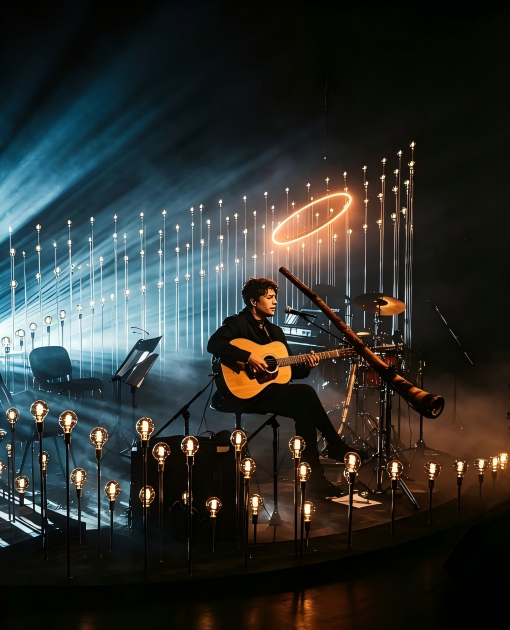
Overseas music program laser project
- Requirements:
- The show’s lights flicker and malfunction; console compatibility is needed.
- Solution:
- Flicker-free broadcast lasers operate stably for hours and sync light, audio and video.
- Result:
- Clear flicker-free footage gained over 100 million social media views and boosted the show’s fame.
Download
Professional
Resource Center
Laser Configuration Guide for Small Venues
(By Venue Size & Guest Count)
Laser Light General Installation Manual
Laser Light Installation Manual
A2 mini 4W RGB Laser Light(User Manual)
User Manual
Frequently Asked Questions
- What performance features do laser projectors need for broadcast studios?
Direct answerStudio lasers need flicker-free, stable output that cameras can capture cleanly, accurate colour reproduction, adjustable scan speed, low acoustic noise and continuous-run reliability.
Required Performance
Feature Why the studio needs it Flicker-free output Beat frequency and rolling shutter artifacts ruin camera footage Stable brightness Exposure stays consistent across long takes and camera cuts Accurate colour Skin tones, branding and set colours stay faithful on screen Adjustable scan speed Effects can be tuned to the camera shutter angle Low noise No fan or scanner whine leaking into studio audio Continuous operation Multi-take recording and live transmission without cool-down breaks Specification Points to Agree Up Front
- Thermal design and noise level measured at the operator position, not only at the fixture
- Colour calibration reference so graphics match the set lighting
- Duty cycle rated for the longest planned recording block
- Control compatibility with the studio console and automation system
Book a DarkTone studio demo and camera testAsk for a camera test before purchase, since flicker and colour behaviour depend on the specific camera and shutter settings used.
- How do I prevent laser beams from damaging broadcast camera sensors?
Direct answerAvoid direct concentrated beams hitting camera lenses. Test the effects with the actual broadcast cameras before recording, then adjust power, scan speed and beam zoning, and use safety interlocks that terminate fixed hotspots if the scanners fail.
Practical Protection Steps
- Map camera positions and lens angles first, then design beam paths that stay clear of them
- Run a full camera test with the real lenses before the first recording
- Reduce power or increase scan speed where beams must pass near a lens
- Zone the beam path so high-intensity effects stay in areas no camera can see
- Enable scan-fail protection so output stops when a galvanometer stops moving
Why Scan-Fail Protection Matters
- A stopped scanner turns a moving beam into a single static point with far higher energy
- Scan-fail logic detects the stall and cuts or diverts output within milliseconds
- Interlocks also protect presenters, performers and crew who move between cameras
Request a DarkTone studio safety check before your shootCamera sensors are more sensitive than the human eye to static beams, so treat every camera position as a safety zone.
- Which control protocols should broadcast studios use for laser systems?
Direct answerUse ILDA, DMX, Art-Net and SMPTE timecode synchronisation together. Cues are pre-programmed offline, then triggered or adjusted in real time to match live scripts, transitions and host segments.
Protocol Roles in a Studio
Protocol Main role in the studio ILDA Graphics, text and animation playback from the laser software DMX512 Integration with the studio lighting console and cue stack Art-Net Network-based control across multiple fixtures and nodes SMPTE timecode Frame-accurate sync with video playback and broadcast automation Working Practice for Live Broadcasts
- Pre-program graphic animations, text logos and beam cues offline, then rehearse on the real set
- Keep a trigger list that maps every cue to a script point, camera cut or music bar
- Leave manual override available so the operator can pull effects back if a segment changes
- Lock unused effects out of the console during live transmission
Ask DarkTone to configure your studio control chainTimecode sync is what keeps laser cues aligned with video playback across repeated takes and live transmission.
- How do I select laser power for different broadcast studio programmes?
Direct answerSelect power based on studio size, camera exposure settings and programme style. Medium-power RGB animation lasers suit talk shows, award ceremonies and TV variety sets, while lower-power units handle logo projection and soft background effects.
Power Selection by Programme Type
Programme type Typical laser requirement Notes Talk shows and news sets Low to low-medium power Subtle logo and background graphics TV variety and talent shows Medium power RGB animation Visible effects that stay under camera limits Award ceremonies and galas Medium to medium-high power Beam effects over a larger stage volume Music and live broadcast Medium-high power with beam control Higher output with strict audience separation Shopping and corporate studios Low power Static logo and product highlighting Three Parameters That Decide the Final Figure
- Studio volume: ceiling height and stage depth set how much beam the camera can see
- Camera exposure: shutter speed and iris determine how bright the effect may appear on screen
- Beam use: audience scanning, aerial beams and graphics each allow a different output level
Ask DarkTone for a studio laser configurationConfirm values with a camera test on the real set, because broadcast exposure changes the perceived brightness considerably.
Get Your Custom
Venue Technical Services
Tell us your role and we’ll tailor the next step for you:
Small News Studio
Lightweight lasers for compact grandMA consoles, fast setup.Large Variety Studio
Custom multi-beam lasers compatible with global protocols, on-site tech support.Outdoor TV Recording
Waterproof lasers, safety approval service, 24/7 remote emergency support.Define Tone in Dark
Contact Person

- Full Name:
- Lumi Deng
- Tel:
+86 13414288613
- Email:
- sales1@darktone.com
- WhatsApp:
- 8613414288613
- Address:
- No.23 industrial area,jianggao town, Baiyun District, Guangzhou City, Guangdong Province, P.R.China